Photo to Coloring Page Generator

Free credits to startFailed? Credit back

Upload Your Photo

Coloring detail
Remove background
PrivatePaid
No watermarkPaid

Credit returned if generation fails.

Photo Conversion Example

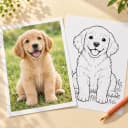
Upload a photo to preview it beside the finished coloring page.

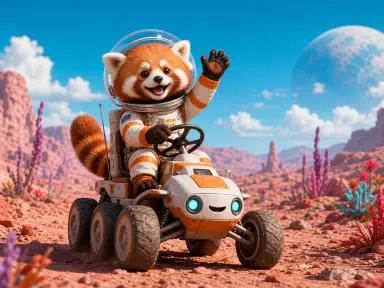
1 · PHOTO
Red panda astronaut waving while driving a rover across a colorful alien landscape
Source photo
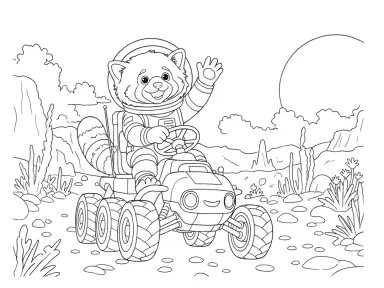
2 · LINE ART
Simple line art generated from the red panda space rider image
Printable coloring page
3 · READY TO PRINTDownload coloring pages as PNG or PDF files after your result is ready.

How to Turn a Photo Into a Coloring Page in 3 Steps

Photo to coloring page conversions take three steps: upload an image, choose settings, and download printable coloring pages.

  1. 1

    Upload Your Photo

    Choose a clear image up to 15 MB with the complete subject in frame.

  2. 2

    Choose Line Detail and Background

    Pick Simple or Detailed lines. Leave Remove background off to keep the scene, or turn it on to focus on the subject.

  3. 3

    Generate, Download, and Print

    Successful conversions preserve the source aspect ratio, with printable coloring pages available as PNG and PDF files.

For cleaner coloring pages, use a bright image with visible edges and avoid heavily cropped subjects.

Why Use Our Free AI Coloring Page Generator for Photos?

This free photo to coloring page generator combines clear costs, practical controls, private source uploads, and printable coloring pages ready to download.

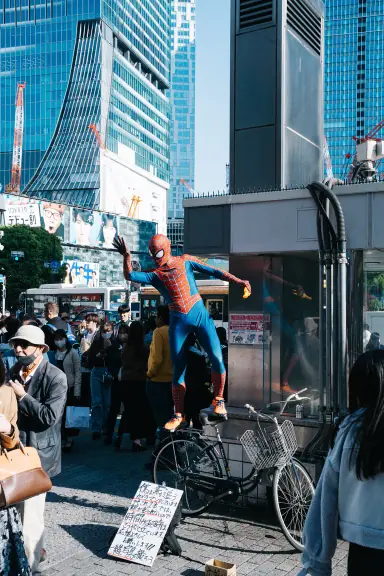
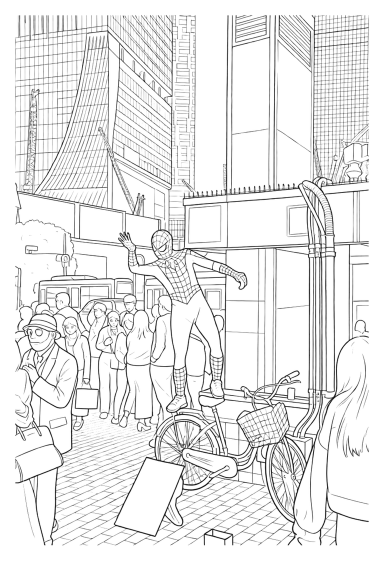
Spider-Man cosplayer balancing on a bicycle above a Shibuya street crowdDetailed line art generated from the Spider-Man cosplay action photo
Detailed · Full scene · Character photo

Make Detailed Coloring Pages From Photos

With the background kept, Detailed preserves the Spider-Man cosplayer, bicycle, crowd, and city lines.
!Source photo by Dick Thomas Johnson · CC BY 2.0 · resized and converted with CPages.
  • Start FreeStart with free credits when you sign up; the photo to coloring page generator shows its 2-credit cost before each run.
  • Choose Simple or DetailedCreate broader coloring spaces or keep finer visible contours.
  • Keep Source Photos PrivateUploads stay private; generated coloring pages are Unlisted Public unless an eligible subscriber selects Private.
  • Download PNG and PDFDownload printable coloring pages as PNG or PDF while preserving each source image shape for printing.

See Photo and Image to Coloring Page Examples

These four current CPages examples used Keep; delivered backgrounds range from recognizable scene anchors to clean white space.
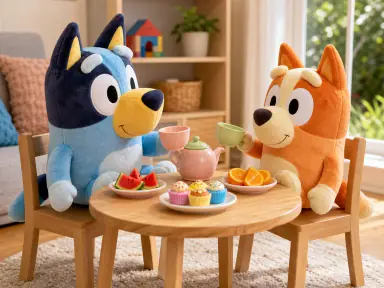
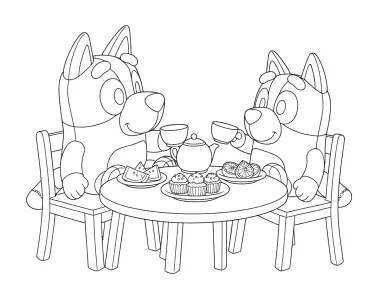
Two Bluey plush characters seated at a playful tea party tableSimple line art generated from the Bluey plush tea party picture
Simple · Scene anchors · Toy characters

Convert Cartoon Images Into Coloring Pages

Simple keeps the two toy characters, tea table, and chairs while simplifying the room.

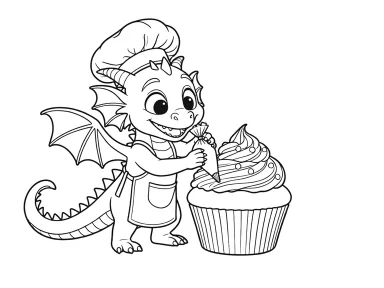
Cheerful dragon baker piping frosting onto a giant cupcakeDetailed line art generated from the dragon cupcake baker picture
Detailed · Subject focus · Original character

Turn Character Pictures Into Coloring Pages

Detailed keeps the dragon baker and giant cupcake while simplifying most of the bakery.

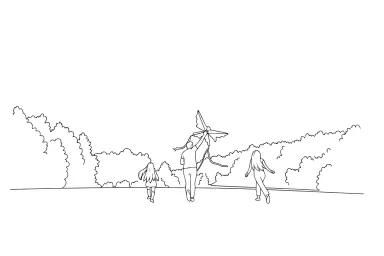
Family running away from the camera while lifting a kite in a parkSimple line art generated from the family kite running photo
Simple · Sparse scene · Family photo

Turn Family Photos Into Coloring Pages

Simple keeps the running family, kite, and tree line while reducing the open sky and distant field.
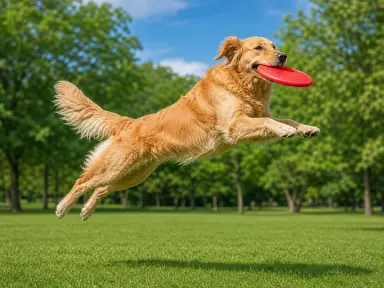
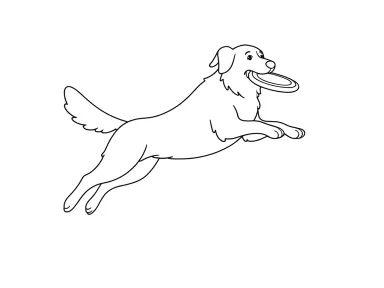
Golden retriever fully airborne with a red flying disc in a sunny parkSimple line art generated from the jumping golden retriever picture
Simple · Subject only · Pet photo

Make Printable Coloring Pages From Pet Pictures

Simple keeps the jumping retriever and disc while the park becomes clean white space.

Choose the Right Source and Settings

What Photos Work Best for Coloring Pages?

For a cleaner result from a picture to coloring page converter, choose a clear source image and match the two Photo controls to the result you want.

  1. Show the Complete Subject

    Use a photo or picture with a recognizable person, pet, character, or object. Visible edges and less cropping give the AI coloring page generator a clearer subject to follow.

  2. Use Clear Light and Contrast

    Pick an image where the subject stands apart from the surroundings. Heavy blur, deep shadows, and a very busy scene can make the resulting coloring pages harder to read.

  3. Choose Simple or Detailed

    Choose Simple for broader coloring areas and fewer interior lines. Choose Detailed when faces, clothing, architecture, or small features should remain more visible.

  4. Keep or Remove the Background

    Leave Remove background off when the setting matters. Turn it on to focus on the subject, then review the result because the control guides the generation rather than guaranteeing a blank background.

Photo to Coloring Page FAQ

Which formats does the image to coloring page converter support?
The photo to coloring page generator supports JPEG, PNG, and WebP images up to 15 MB that you have the right to use.
What’s the difference between Simple and Detailed?
Simple favors broader coloring spaces and fewer interior lines. Detailed keeps finer visible contours and more small features from the uploaded image.
Are uploaded photos and generated coloring pages private?
Source photos stay private. Generated coloring pages are Unlisted Public and noindex by default; eligible subscribers can choose Private before generating.
How many credits does a photo to coloring page conversion use?
Each generation uses 2 credits. If it fails or times out before delivery, the reserved credits return.
Can I download and print the coloring pages?
Yes. Every successful conversion includes printable coloring pages in PNG and PDF while preserving the source photo's aspect ratio.
Can I try the photo to coloring page generator for free?
Yes. New accounts receive signup credits, and the Generate button shows the current cost before submission.
What happens when I run out of credits?
Open Pricing to compare subscription plans and current checkout availability.

Create Free Coloring Pages From Your Photos

Start free with signup credits. Use the AI coloring page generator to turn a photo, picture, or image into printable coloring pages, then download PNG or PDF.

Upload a Photo — Start Free